


Microsoft Planner is an app designed to help teams visually organize their work and collaborate on projects. It enables users to create new plans, assign tasks, share files, and communicate about progress within a shared environment. A key aspect is its visual board system, where tasks can be categorized into buckets and easily reordered via drag-and-drop functionality. To use Planner, an eligible Office 365 work or school subscription is required; it does not support personal Office 365 accounts like those ending in @outlook.com or @hotmail.com. If there is uncertainty regarding a company’s subscription or available services, contacting the IT department is recommended.
Organize Work with Visual Boards
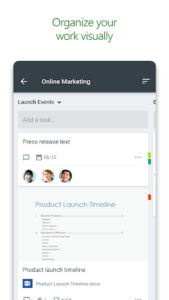
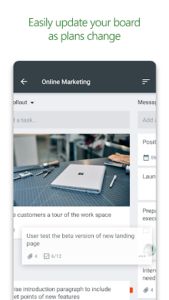
Planner provides a distinct visual approach to managing tasks within a team. Each plan features its own board, where tasks are organized into customizable buckets. These tasks can be categorized based on their current status or assigned team member. A core workflow involves updating a task’s status or reassigning it by simply dragging and dropping the task between different columns on the board.
Enhanced Team Collaboration
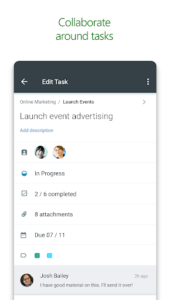
Built specifically for Office 365, Planner facilitates direct collaboration on shared tasks. Team members can work together on the same items, attach captured photos directly to tasks, and engage in conversations about ongoing work without needing to switch to other applications. This integration ensures that all team discussions and deliverables remain consolidated within the plan, preventing information from becoming scattered across disparate tools.
Centralized Task Visibility
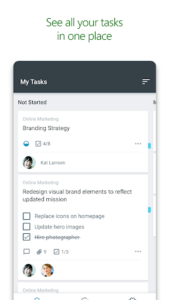
For individuals, the app offers a My Tasks view. This feature presents a comprehensive list of all tasks assigned to a user, along with their current status, across every plan they are part of. This centralized view helps team members maintain awareness of who is working on what within any given plan, fostering transparency and coordination.
Access Across Multiple Devices
Planner is designed to function across various devices, ensuring that all team members are consistently updated. This capability allows users to continue conversations and update task progress whether they are on the go or at their desk, maintaining continuity in teamwork and project management.














Write a review